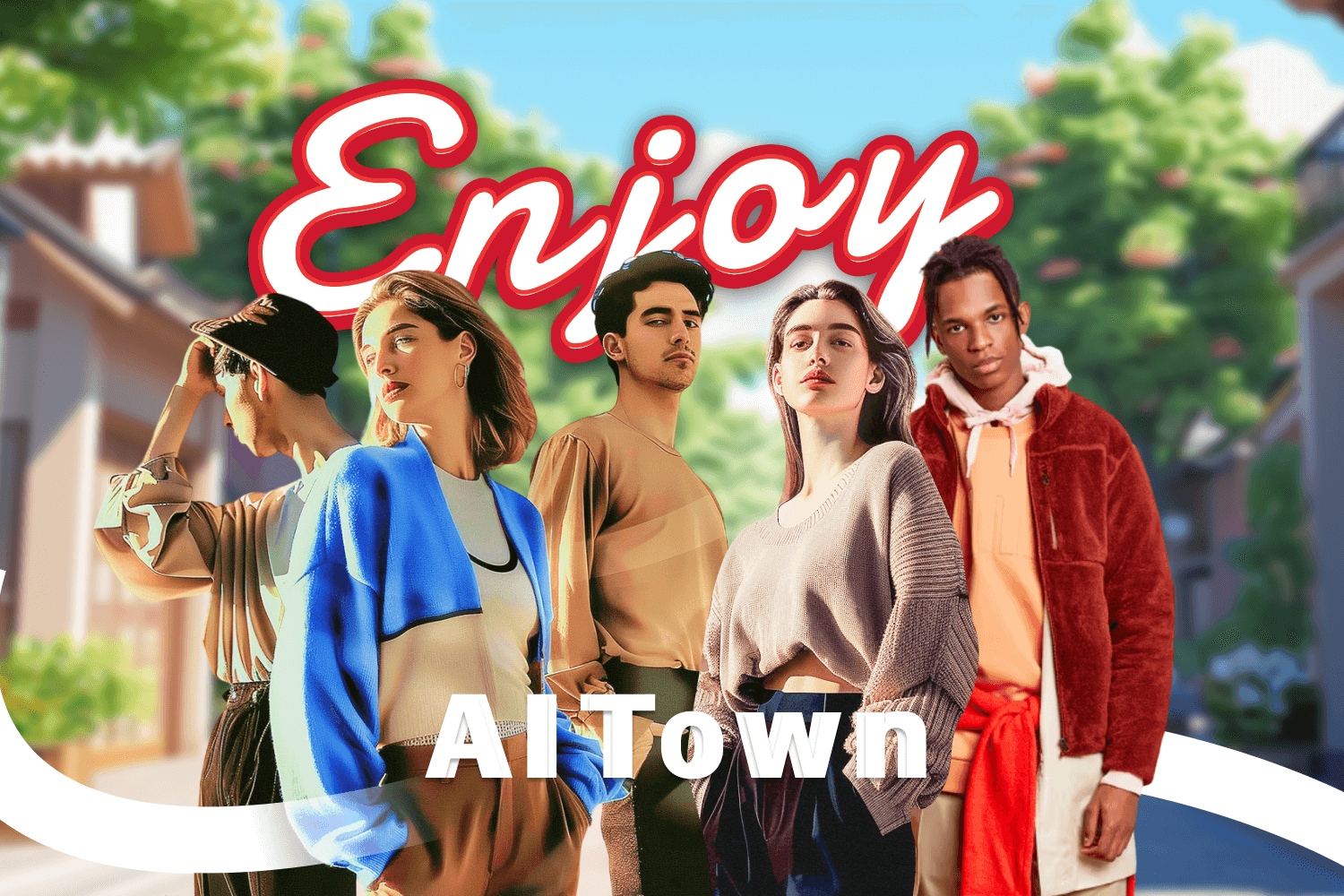
Paid Collab with Enjoy - AI Town
About Enjoy - AI Town
It's like The Sims but set in a fully AI-driven town with 4,000 unique residents. You can create characters, explore their lives, and do pretty much anything you can imagine. It's available on the iOS App Store—check it out! Many video promoting Enjoy - AI Town went viral on TikTok. Search on TikTok and get inspired!
Quick Details
- 📱 Platform: TikTok
- ⏱ Video duration: 7 seconds
- 💵 Payment: You’ll be paid via PayPal within 7 days after the video goes live and the ad code is shared
- 🔗 No product link or TikTok shop required
Reference Videos
Guidelines & References
- Font for text overlay: use white text only for clear visibility.
- Text overlay on video: use the provided design exactly—no modifications.
- No additional captions (e.g., "AD", "Sponsored") on the cover or in the video.
- Published video must be public on your channel; private posts won't qualify.
- You must appear on camera🥹🙏❤️
Text overlay:
POV: you found a game like sims except the characters think for themselves with AI. Guys, play Enjoy - AI Town rn… I've been stuck for hours
Captions:
this game, Enjoy - AI Town, is so addicting. The Sims can talk. Play rn #simsthatcantalk #aisims #enjoyaitown #aitown #enjoy #sims #sims4 #fyp
🎵 Music:
Check On It(Live) - Beyoncé
original sound - ron.clipped
Next Step
If you are interested in collaborating, please reply the email with:
- your video draft
- your PayPal email address
If the video draft gets approved, you can then release it to your page. Please reply email with 1) video link, 2) ad code, set to 365 days. We'll process the payment within 7 days of the approved video going live.
FAQ
Yes! If this campaign goes well, we'd love to explore long-term partnerships and potentially increase compensation in future projects.
The content may be used for in-app promotion, organic social media posts, and potentially as ad creatives.
Step 1:
Tap the three dots "..." at the bottom right of your video, then select "Ad Settings."
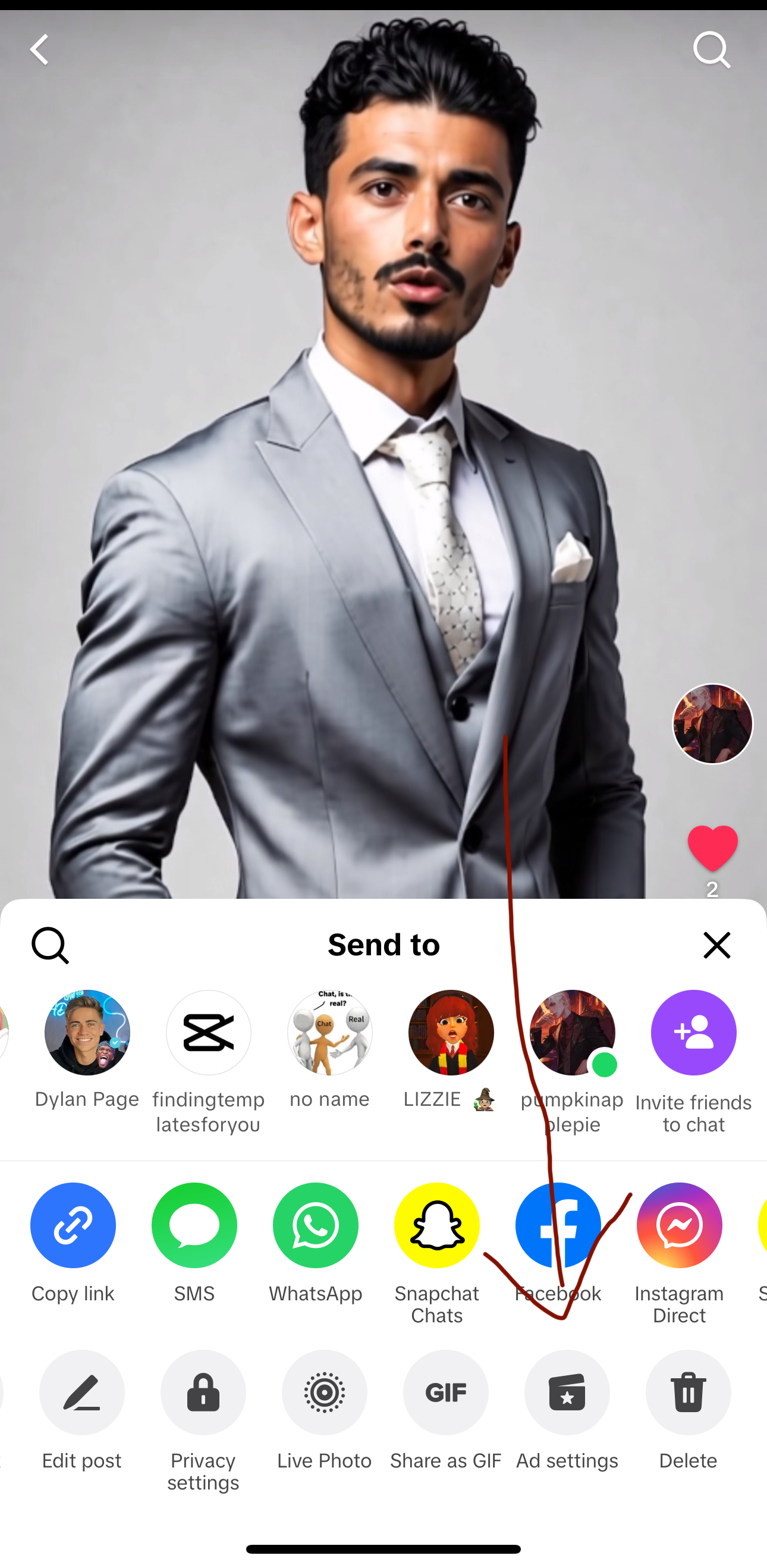
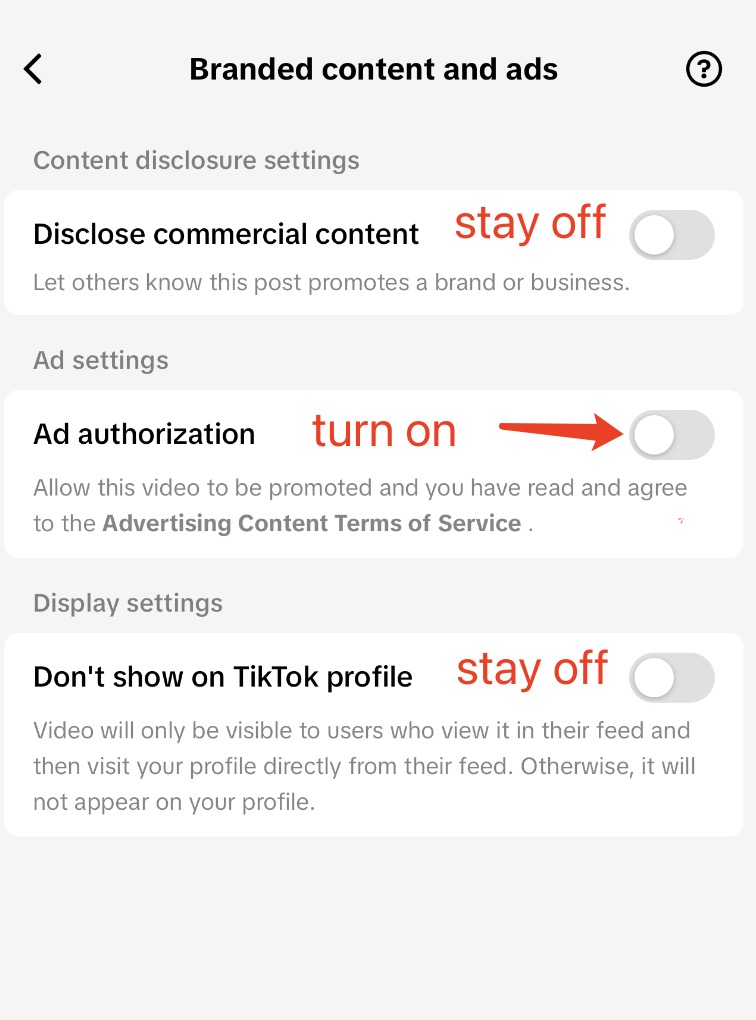
Step 2:
Turn on "Ad authorization" (it's the middle toggle).
Please make sure the other two options—stay turned off
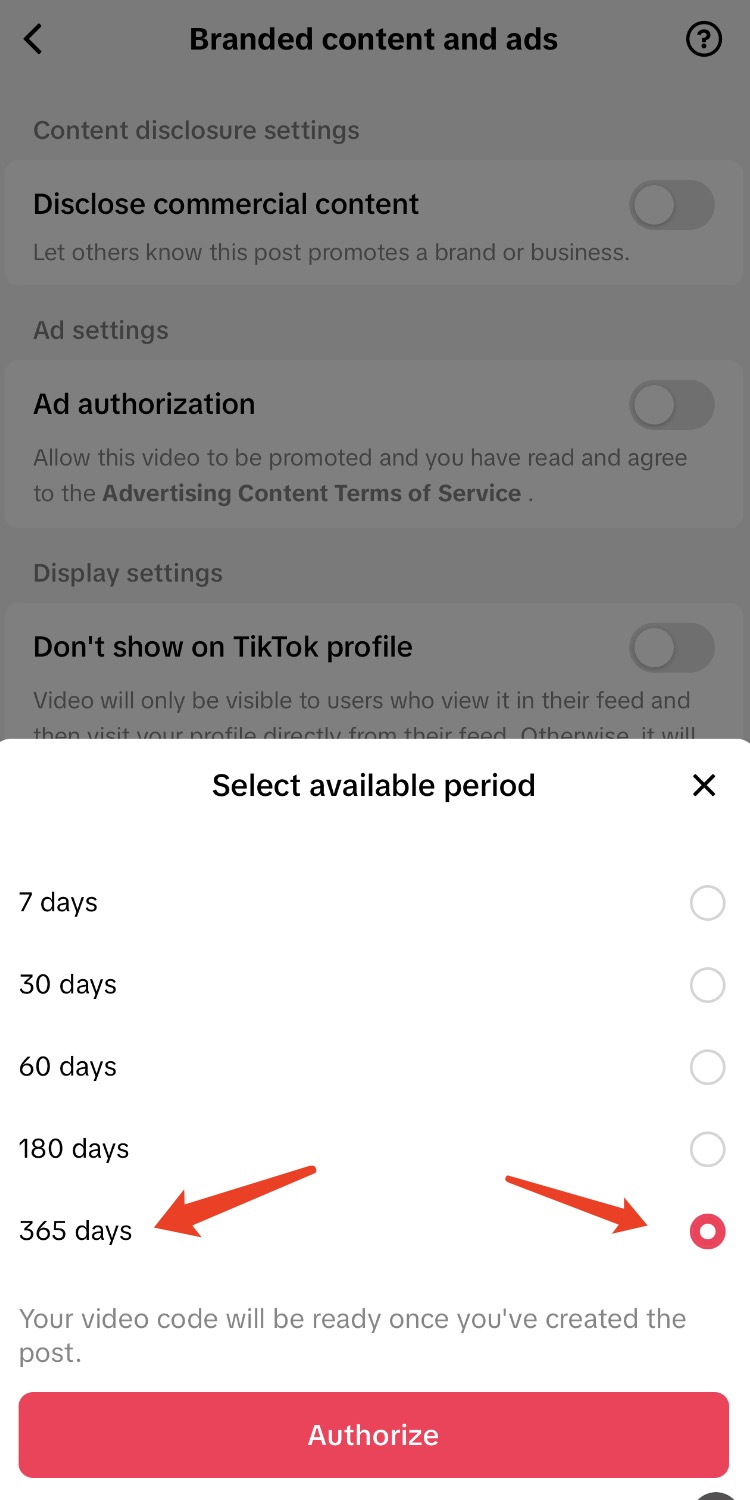
Step 3:
After enabling Ad authorization, set the duration to 365 days, then hit Authorize.
Step 4:
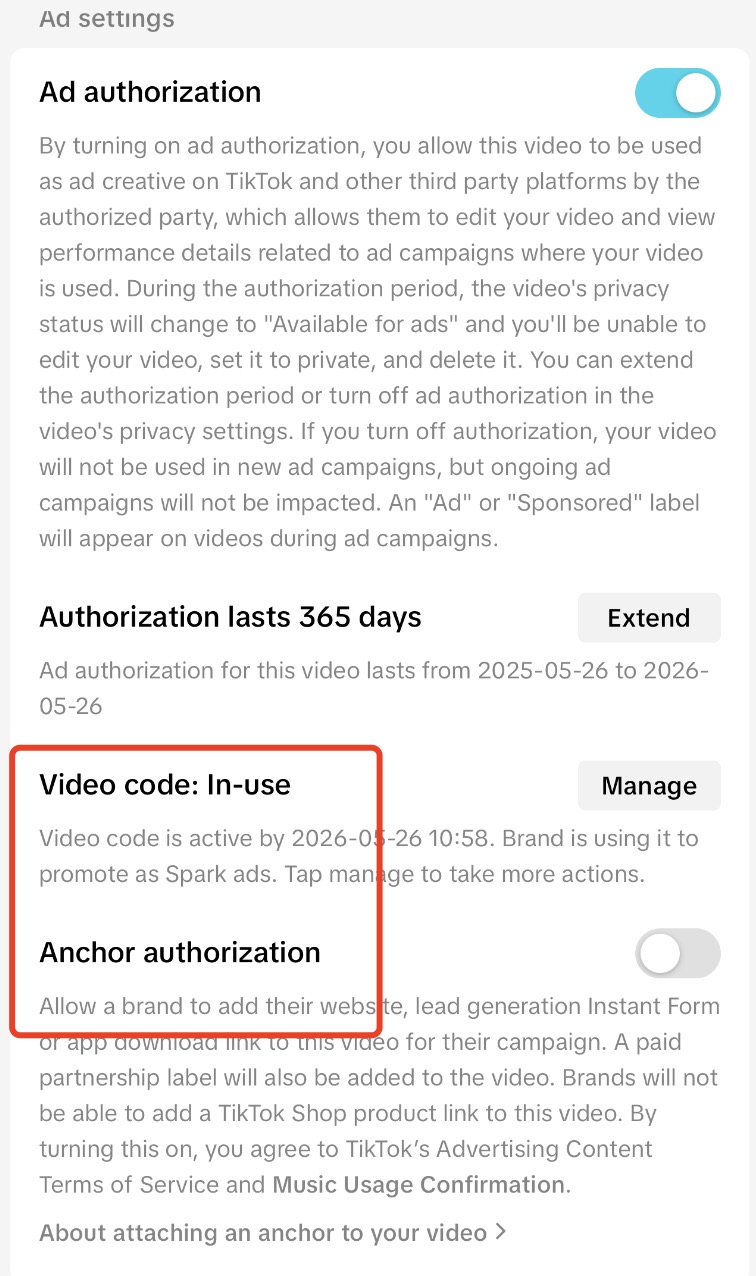
You'll see two new sections: "Video Code" and "Anchor Authorization"
Video Code: Click "Generate" - the code will be ready in 3 minutes. Once ready, copy the code and send it to us.
Anchor Authorization: Turn off. This adds a download button at the bottom left of your video. You can turn this feature OFF if needed.
🥹🙏❤️we use the ad code to run paid ads on your video—this means we pay TikTok for more views, without making a profit. It simply helps the video reach a wider audience so our efforts aren’t wasted. The number of paid views depends on TikTok.